Provider workspace
Provider workspace: a clear view of the work.
Help providers identify their services, review scheduled bookings and inspect the information recorded for each visit.
Service names and booking states at a glance.
The booking list distinguishes confirmed, failed and completed records. Those states describe the record; they do not establish payment or delivered work by themselves.
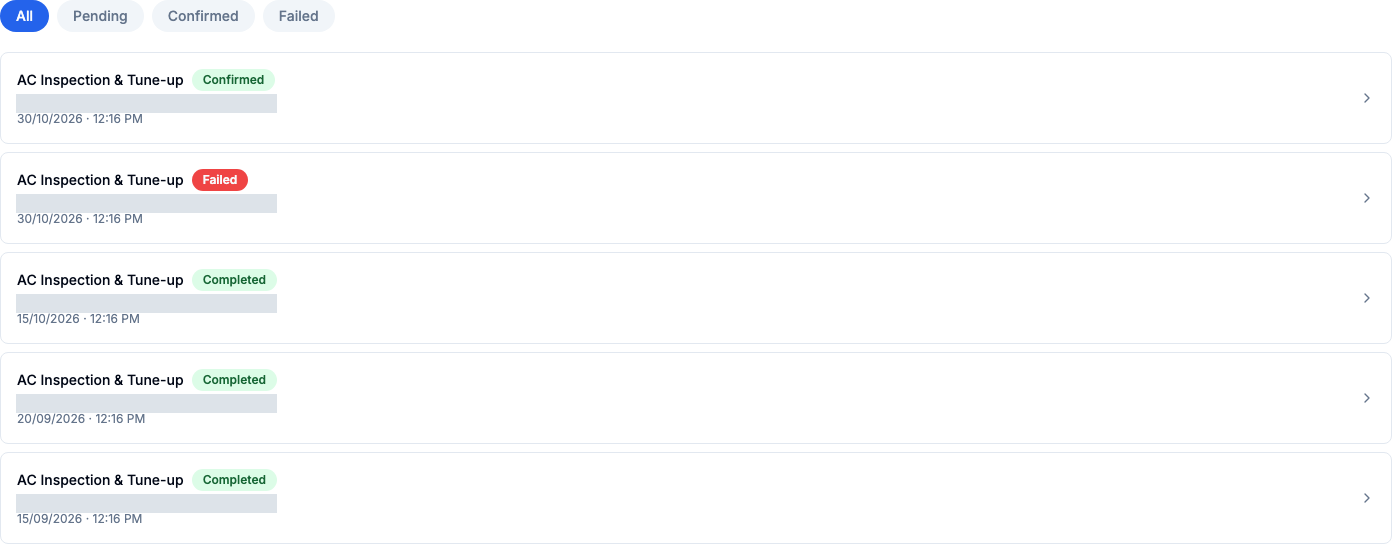
The schedule, service and payment context.
A booking detail view brings the service and its scheduled time together, while retaining an explicit warning when no payment record is available.
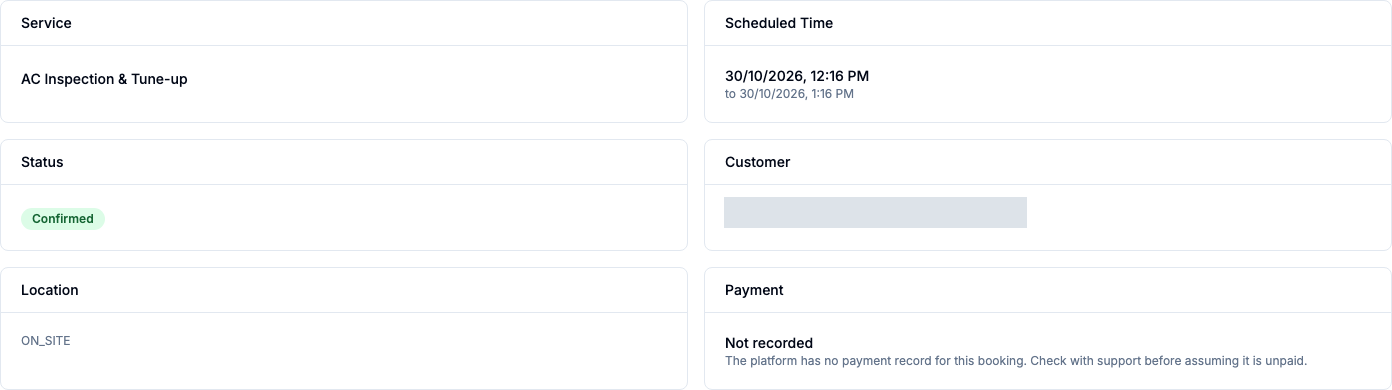
From the booking list to session operations.
- Identify services and scheduled times in the booking list.
- Distinguish Confirmed, Failed and Completed records without treating status as proof of payment or delivery.
- Open booking details and review the warning when payment is not recorded.
- Configure branch working times for services and record session attendance; attendance is demonstrated in a separate recorded journey.
Service setup and session attendance.
Evidence status describes configuration, recorded demonstrations or integration scope. It does not certify production readiness.
Configured per service
Branches and working times
Provider branches and working times are configured for each service.
Demonstrated
Session attendance
Provider-recorded attendance is supported by a separate recorded journey and tests, rather than the booking screenshots above.
Demonstrated
Session capacity
Recorded tests demonstrate session capacity limits and capacity released after cancellation. These results do not establish recurring-membership or renewal readiness.
Partly integrated
Booking handoff
Assignment and zone matching are not an automatic handoff from booking creation. The screenshots do not establish provider acceptance or completed delivery.
Your next step
Plan the provider side of your marketplace.
Review how your providers receive work, understand each visit and coordinate with your team.
Request a demo