Marketplace platform
One platform. Three connected workspaces.
A customer app for discovery and booking, a provider workspace for service operations, and an admin console for marketplace oversight.
Capabilities and their current status.
These statuses describe the available evidence and integration scope. Demonstrated does not establish production readiness.
Demonstrated
Locations and session times
Customers can review a provider location and select a date and session time.
Configured per service
Branches and working times
Provider branches and working times are set for the service.
Configured per service
At-home service coverage
At-home fulfilment and coverage zones are set per service.
Demonstrated
Address and coverage checks
At-home bookings require a service address and check it against coverage zones. Without configured zones, every address is treated as covered.
Demonstrated
Programs and session capacity
Programs show upcoming sessions and inclusions. Recorded tests demonstrate capacity limits and capacity released after cancellation.
Demonstrated
Session packages and attendance
Recorded journeys demonstrate package purchase, credits, redemption and provider-recorded attendance.
Partly integrated
Provider assignment and matching
Assignment and zone matching are not connected end to end to booking creation. They are not available as an automatic booking handoff.
Requires engineering
ASAP dispatch and live tracking
Current bookings use scheduled slots. Immediate dispatch and live tracking would require engineering.
Memberships and included sessions.
Implemented · production use not established
Customers book included sessions and see their remaining session allowances. Eligible customers can request cancellation for review, and operators process policy-based cancellations and refunds for unused sessions.
This scope does not establish recurring-subscription or renewal readiness. Production use of the membership lifecycle has not been established.
Customer → Provider → Admin: follow one booking record.
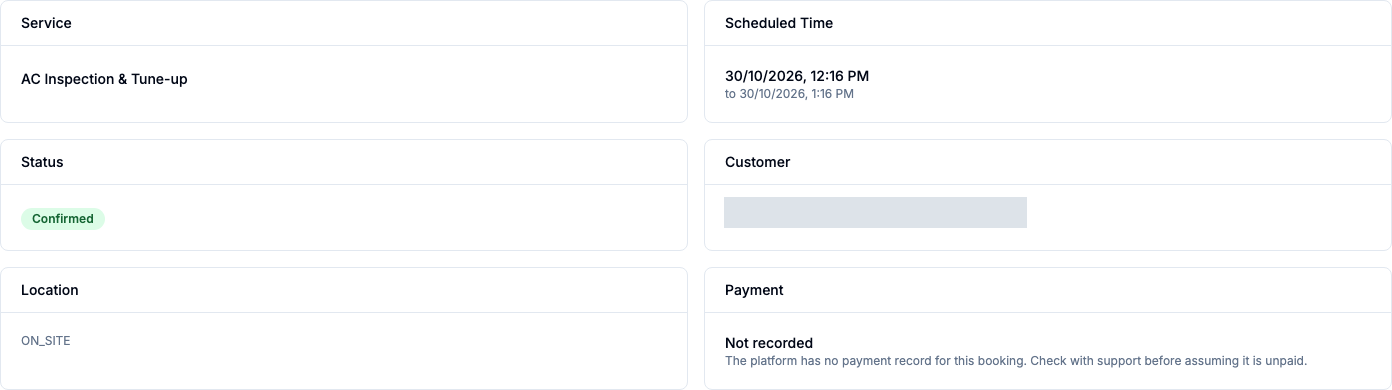
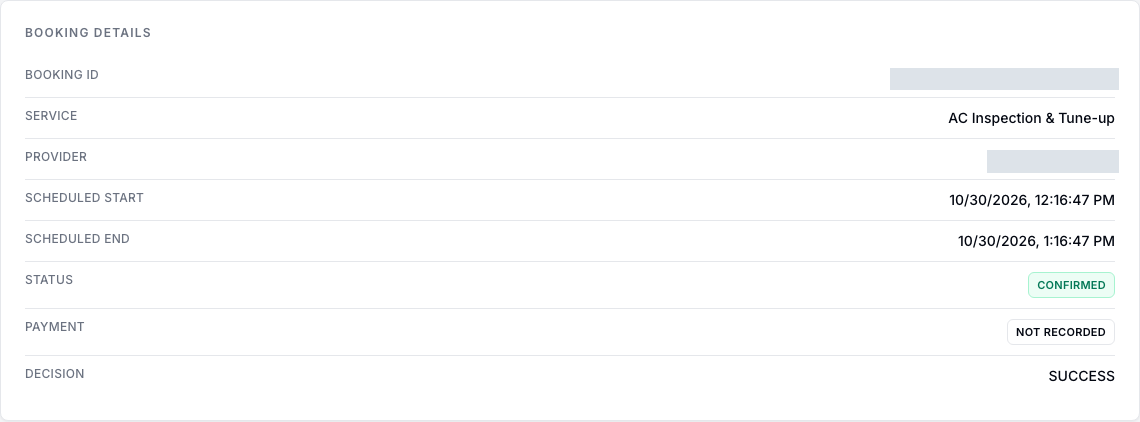
An illustrative handoff explains how a booking connects the three roles. The provider and admin captures below show the same demo booking; the customer demonstration is a separate run.
- Customer app: the customer chooses a service and a scheduled time. These choices provide the service and schedule for the booking record.
- Provider workspace: the provider reviews the booking’s service, time and status to understand the work.
- Admin console: the marketplace team reviews that same booking’s service, schedule, status and recorded payment information.
Booking status and payment state are separate. Payment is not recorded in this operational example; it does not demonstrate provider acceptance or completed delivery.
Revisit a doorbell and installation cart.
The existing cart already holds the linked installation and booked time. The demo reconfirms that time and selects an existing covered address; it stops before payment.
- Review product and linked installation
- Revisit existing cart; no items added again
- Reconfirm existing 4 PM selection
- Select existing covered Home address; stop before payment
Video description: A customer reviews an AED 699 doorbell with linked AED 149 installation, then revisits an existing cart without adding items again. The installation and its booked time are already in the cart; the existing 4 PM selection is reconfirmed. Product and installation appear together at AED 890.40 including VAT. The cart first says Address still needed, then the existing Home address is selected and shown in coverage. This demo stops before payment. It includes a still, slowed sections and AI-generated catalog illustrations.
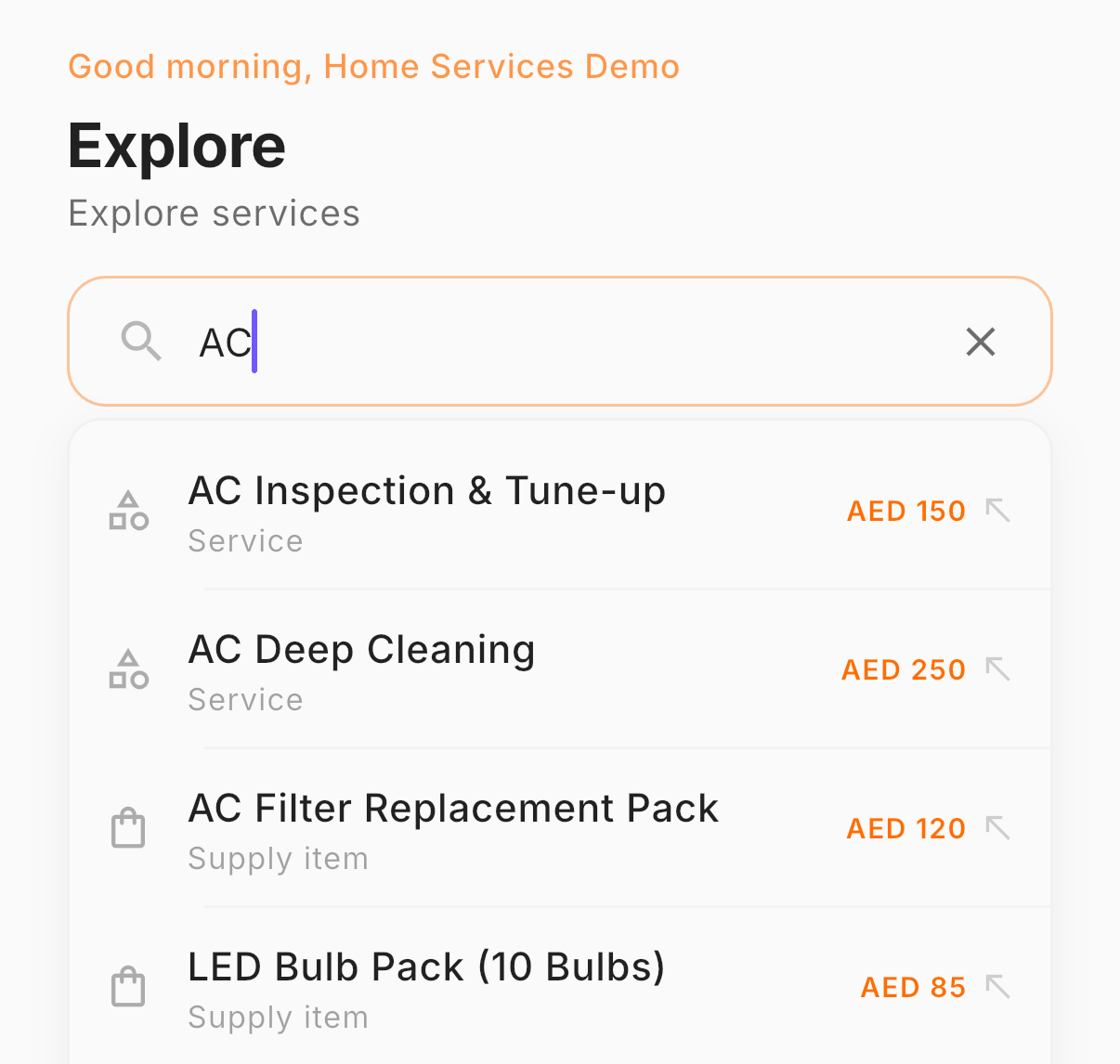
Products and services, easy to find.
Search the catalog and review the details before choosing what to buy or book.

A distinct view for each operational role.
Providers see their bookings. Marketplace operators review the service, schedule, status and recorded payment information. These console examples show a separate operational run.
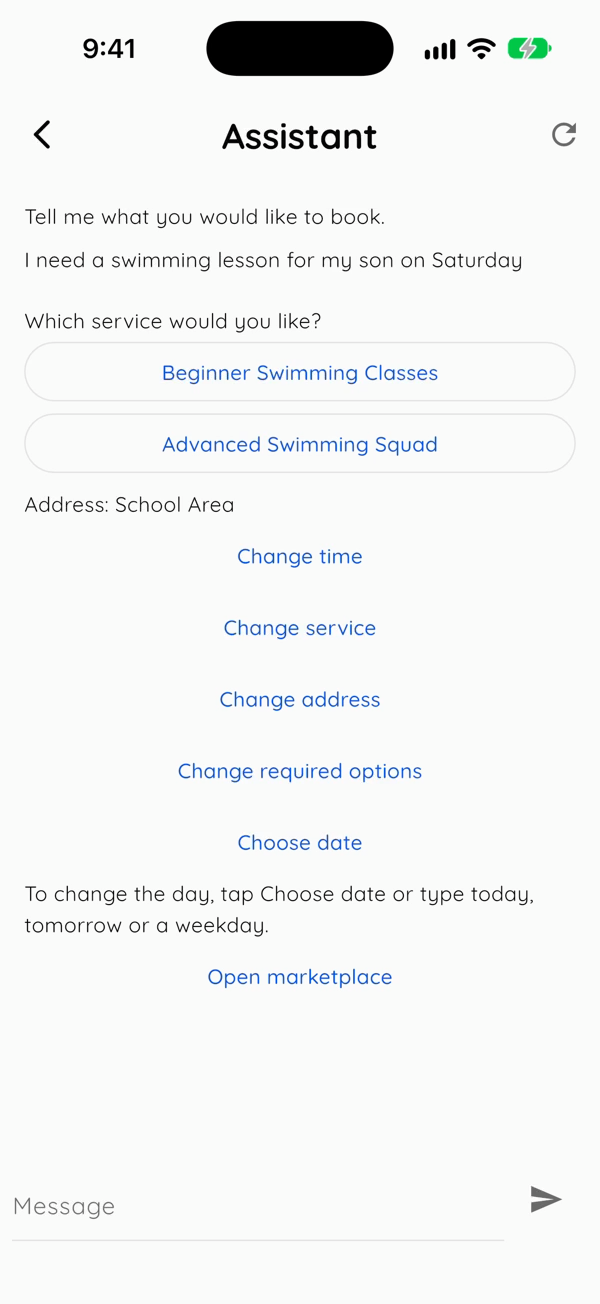
A booking conversation is also in testing.
A rules-based assistant can offer service choices and prepare a cart for review. It is not yet released to customers; the current demonstration stops before payment.
Your next step
Bring products, installation and operations together.
Discuss your catalog, service locations and the customer journey your marketplace needs.
Request a demo